
AI license renewal decisions should combine the cost of access with evidence of useful work. Before extending a contract, ask which roles benefit, which tasks improve, and what support is needed to sustain that improvement. A high login count or a large productivity headline cannot answer those questions on its own.
A company example worth reading carefully
A May 2024 Microsoft customer story reported that Lumen sellers could reduce customer outreach research from four hours to 15 minutes. A July account described a sales organization of more than 3,000 people and the company’s estimated annual value of time recovered. These are customer claims published by Microsoft, the technology supplier, rather than an independent audit of realized cash savings. They illustrate a defined workflow rather than a universal return on every AI seat.

Use the workflow as the unit of value
Start with the work a licensed employee needs to complete. Identify the task, its frequency, the expected output, and the person who can assess quality. Review a sample of completed work with the team lead. Ask whether time spent checking or correcting the output changes the initial estimate of benefit.
Translate those observations into the renewal discussion. A tool may help one role prepare for customer meetings while offering less value to another role. That difference should inform access, training, and purchasing decisions. It is a reason to examine the allocation of licenses, not to assume either universal success or universal waste.

Make the full operating cost visible
When evaluating AI costs, include subscription commitments, consumption charges, and the internal effort needed to administer access, reconcile reports, train staff, and review outputs. Work with finance to distinguish a cash expense from the value of staff capacity. Avoid adding an estimated productivity benefit to a claimed cost reduction if both describe the same underlying time.
Review the contract renewal date, notice period, seat adjustments, and any usage commitments. Ask procurement to confirm the actual terms rather than relying on a remembered purchasing conversation. Give department owners enough time to explain upcoming work and access needs. A rushed renewal can make it harder to act on information the organization already has.
Give every license category a next step
Classify access into three useful categories:
Active use
Access needing support
Access requiring further investigation
Consider context when classifying usage:
Reflect the tool’s purpose and a fair observation period.
Recognize that infrequent use may be appropriate for specialist tasks.
Recognize that frequent use may still involve low-value activity.
Speak with the owner before recommending a change.
For teams needing support:
Define the workflow a workshop should address.
Identify the evidence you will review afterward.
For unexplained access:
Confirm ownership.
Check whether the employee has changed roles or left the organization.
For clear beneficial use:
Evaluate whether the current plan and spending limits still fit.
Document accountability:
Record who approves each adjustment.
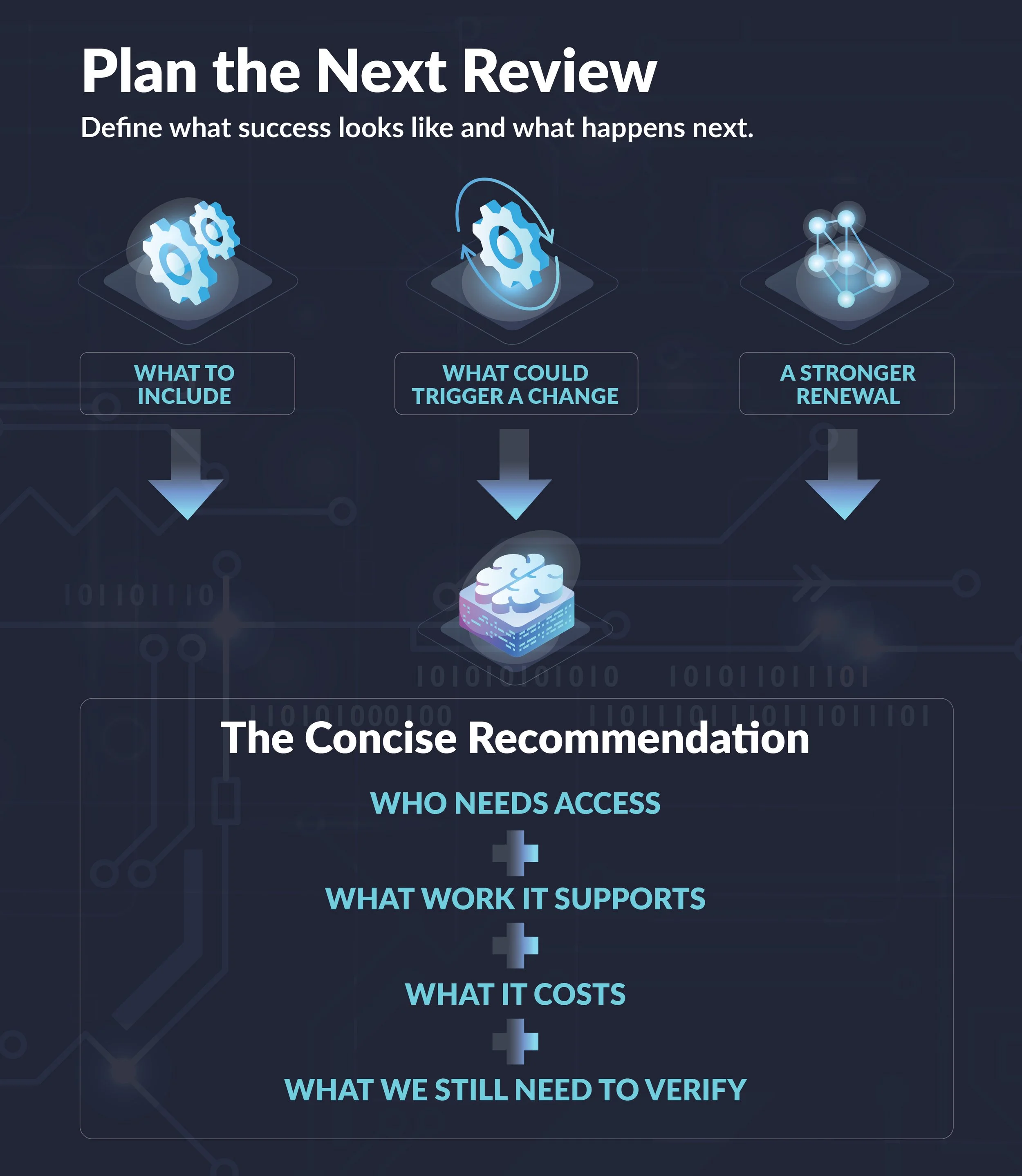
The strongest internal recommendation is often concise: here is who needs access, here is the work it supports, here is what it costs and here is what we still need to verify. That gives finance, procurement and IT a shared basis for the decision. It also leaves room to recognize genuine value without stretching the evidence.
Set renewal conditions before the next term
Decide what the next review needs to show. Specify the roles covered, the reporting available and a small set of business outcomes. Include what would cause leaders to reduce access, change the use case or expand a successful workflow. A renewal should create a better measurement plan for the coming term.
The strongest internal recommendation is often concise: here is who needs access, here is the work it supports, here is what it costs and here is what we still need to verify. That gives finance, procurement and IT a shared basis for the decision. It also leaves room to recognize genuine value without stretching the evidence.
How Moser can help
AI Control Point is intended to bring AI usage and cost reporting, idle-seat visibility, configurable controls and employee enablement into one engagement. Moser can discuss the information your products and plans make available and the gaps in your renewal review.
Bring your next AI renewal and one team’s usage questions to Moser before you approve the next term.